
New Contact Dialog
The New Contact dialog allows the user to add a new delivery contact in the [ Sales Order | Detail | Addresses ] tab. Once added here, the new contact will be added into the [ Customer | Address ] screen when the sales order is saved.
The dialog consists of:
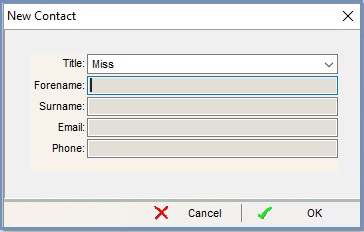
- Title: the contact's title.
Note: This can be a predefined list if the option Structured New Contact Title is ticked in[ System Operations | Edit System Values | Companies | General ]. The list of titles is created in[ System Data | Company | Contact Title ]. - Forename: the contact's first name.
- Surname: the contact's surname.
- Email: the contact's email address.
- Phone: the contact's phone number.